

Cybersecurity isn’t just for big companies and IT pros anymore — it’s something everyone with a phone, laptop, or email address needs to care about.
From WhatsApp scams to bank account takeovers, your devices are a goldmine for hackers.
But here’s the good news, you don’t need to be a techie to protect yourself. In fact, just a few small changes can drastically improve your security.
This guide walks you through simple, powerful steps you can take right now to secure your devices .
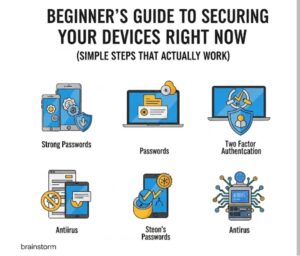
Table of Contents
Toggle1. Lock Your Phone Like It’s Your Wallet
Your phone knows everything about you — who you talk to, where you go, and even your banking details.
If someone gets access, it’s like handing them the keys to your life.
What to do
-
Use a strong passcode (not 1234 or your birthday)
-
Enable biometric security (fingerprint or face unlock)
-
Turn on auto-lock after 30 seconds of inactivity
-
Disable lock screen previews for messages and notifications
2. Update Everything (Yes, Everything)
Software updates are not just for new features — they often fix security holes that hackers are actively using.
Update
-
Your operating system (Windows, macOS, Android, iOS)
-
Your browsers (Chrome, Safari, Firefox)
-
Your apps (especially banking, email, and messaging apps)
-
Your antivirus or security software
Set updates to auto-install if possible — it saves you the stress.
3. Use Strong, Unique Passwords for Every Account
If you use the same password everywhere, one leak could ruin your entire digital life.
What to do
-
Use a password manager (like Bitwarden, LastPass, or 1Password)
-
Create strong passwords with 12+ characters (mix of letters, numbers, symbols)
-
Never reuse the same password across multiple sites
Bonus Tip: If a site offers to “log in with Google/Facebook,” only use that for non-sensitive apps.
4. Turn On Two-Factor Authentication (2FA)
Even if your password gets stolen, 2FA can stop the hacker cold.
How 2FA works
-
You log in with your password
-
A code is sent to your phone/email or app (like Google Authenticator)
-
You enter that code to complete login
Always enable 2FA on:
-
Email accounts
-
Social media
-
Online banking
-
Cloud storage (Google Drive, Dropbox, iCloud)
5. Secure Your Wi-Fi
Your home Wi-Fi is your digital front door. If it’s open or weak, anyone nearby could get in.
How to secure it
-
Change the default Wi-Fi name (SSID) to something unique
-
Use WPA3 or at least WPA2 encryption
-
Set a strong Wi-Fi password (not your phone number!)
-
Turn off WPS (Wi-Fi Protected Setup — it’s insecure)
-
Keep your router firmware updated
6. Watch Out for Suspicious Links and Attachments
Most hacks don’t start with code — they start with a click. Phishing emails, fake WhatsApp links, and scammy ads are everywhere.
Think before you click
-
Don’t open attachments from unknown senders
-
Hover over links to see where they really lead
-
If it sounds urgent or “too good to be true” — it probably is
-
Never download cracked apps or pirated files
7. Install Trusted Antivirus or Antimalware Software
Even the most careful users can get tricked. A good antivirus gives you an extra layer of defense.
Recommended (free and paid)
-
Windows Defender (free & built-in on Windows)
-
Avast (free version available)
Run weekly full scans to check for hidden threats.
8. Backup Your Data Regularly
Ransomware is real — and if you lose access to your data, backups can save you.
Simple backup tips
-
Use cloud storage (Google Drive, iCloud, OneDrive)
-
Backup to an external hard drive (and unplug it when done)
-
Automate backups so you don’t forget
If something goes wrong, you can reset your system and restore your data without paying a ransom.
Conclusion
You don’t need to be a cybersecurity expert to protect yourself — you just need to take action.
Start with the basics
-
Lock your phone
-
Use strong passwords
-
Turn on 2FA
-
Update your apps
These simple steps are your digital shield — protecting your personal life, your business, and your peace of mind.
Next up:
➡️ “Your Cybersecurity Career Path – From Learner to Expert” – we’ll explore career options, top certifications, and how long it really takes to go from beginner to pro.