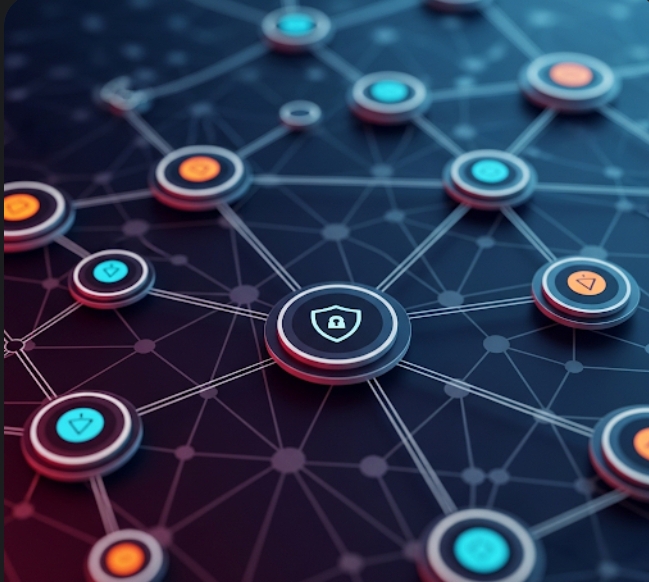
Imagine trying to protect a house without knowing where the doors, windows, or back entrances are. That’s what it’s like trying to secure your digital world without understanding networking.

Networks are how devices talk to each other. And if you’re learning cybersecurity, understanding how data moves is non-negotiable. Don’t worry—we’re going to explain it in plain, simple English. No tech headaches here.

Let’s break down how networks work and why it matters for keeping your digital life safe.

Imagine trying to protect a house without knowing where the doors, windows, or back entrances are. That’s what it’s like trying to secure your digital world without understanding networking.Networks are how devices talk to each other. And if you're learning cybersecurity, understanding how data moves is non-negotiable. Don’t worry—we’re going to explain it in plain, simple English. No tech headaches here.Let’s break down how networks work and why it matters for keeping your digital life safe.What is a network?A network is just a bunch of devices (computers, phones, routers, printers) connected together to share information.Everyday Examples:Your home Wi-Fi = a small networkYour school or office network = a bigger oneThe internet = a network of networksMeet the IP Address (Your Digital Home Address)Every device in a network gets an IP address, like 192.168.1.1. Think of it like your home address—it tells data where to go.There are two versions:IPv4 (like 192.0.2.1)—still commonIPv6 (like 2001:db8::1)—newer and more advancedWhat is a port?A port is like a door on your digital house. Different apps and services use different ports to “talk.”Port Number What It’s For 80 Web browsing (HTTP) 443 Secure web browsing (HTTPS)22 Remote access (SSH)53 Domain Name System (DNS) Hackers often scan for open ports to sneak in—that’s why knowing them matters.TCP vs. UDP (How Data Moves)When data travels across networks, it usually uses one of these:Protocol Reliable? SpeedExample Use TCP for yes slower websites, email UDP for no faster streaming, and games. TCP double-checks everything.UDP says, “Just go fast and don’t look back.”The OSI Model (7 Layers, But Don’t Panic)This model explains how data moves from one device to another—like layers of a sandwich.Layer: What It Does 7. Application: What you interact with (e.g., browser) 6. Presentation formatting, encryption 5. Session Keeps connection alive 4. Transport TCP/UDP—moves data 3. Network IP addresses & routing 2. Data Link MAC addresses, Ethernet 1. Physical wires, signals, Wi-Fi You don’t need to memorize this now—just know it helps explain how data travels.Real-Life ExampleLet’s say you’re visiting a website like brainstorm.com. ng:DNS translates that to an IP address.Your device connects to port 443 using TCP.Data gets packaged, sent across the internet, and reassembled when it arrives.If a hacker wanted to intercept or block that connection, they’d target one of these layers or ports.Why Networking Knowledge is Power in CybersecurityUnderstanding networking helps you:Detect intrusions (e.g., traffic from unknown IPs)Prevent attacks (e.g., blocking unused ports)Track hackers (e.g., analyzing logs and traffic)Secure your devices (e.g., configuring firewalls and routers).In short, if you can understand how your data flows, you can control who has access to it.ConclusionNetworking might seem technical, but it’s really just the highway that data uses to travel. As a future cybersecurity pro, your job is to watch traffic, set up roadblocks, and catch digital thieves in action.Next up, we’re diving into the world of DNS—the "Google Maps" of the internet—and how hackers can trick it. 👀➡️ Next Post: DNS Explained Like You’re 12 (And Why Hackers Love It) 

What is a network?

A network is just a bunch of devices (computers, phones, routers, printers) connected together to share information.

See also  What Is Ethical Hacking? (And How You Can Learn It Safely)

Everyday Examples:

  • Your home Wi-Fi = a small network
  • Your school or office network = a bigger one
  • The internet = a network of networks

Meet the IP Address (Your Digital Home Address)

Every device in a network gets an IP address, like 192.168.1.1. Think of it like your home address—it tells data where to go.

There are two versions:

  • IPv4 (like 192.0.2.1)—still common
  • IPv6 (like 2001:db8::1)—newer and more advanced

What is a port?

A port is like a door on your digital house. Different apps and services use different ports to “talk.”

Port Number What It’s For 80 Web browsing (HTTP) 443 Secure web browsing (HTTPS)22 Remote access (SSH)53 Domain Name System (DNS)


Hackers often scan for open ports to sneak in—that’s why knowing them matters.

TCP vs. UDP (How Data Moves)

When data travels across networks, it usually uses one of these:

See also  DNS for Beginners: How the Internet Finds You (And How Hackers Hijack It)”

Protocol Reliable? SpeedExample Use TCP for yes slower websites, email UDP for no faster streaming, and games.


TCP double-checks everything.
UDP says, “Just go fast and don’t look back.”

The OSI Model (7 Layers, But Don’t Panic)

This model explains how data moves from one device to another—like layers of a sandwich.

Layer: What It Does 7. Application: What you interact with (e.g., browser) 6. Presentation formatting, encryption 5. Session Keeps connection alive 4. Transport TCP/UDP—moves data 3. Network IP addresses & routing 2. Data Link MAC addresses, Ethernet 1. Physical wires, signals, Wi-Fi

You don’t need to memorize this now—just know it helps explain how data travels.

Real-Life Example

Let’s say you’re visiting a website like brainstorm.com. ng:

  1. DNS translates that to an IP address.
  2. Your device connects to port 443 using TCP.
  3. Data gets packaged, sent across the internet, and reassembled when it arrives.
See also  Beginner-Friendly Cybersecurity Projects You Can Do at Home

If a hacker wanted to intercept or block that connection, they’d target one of these layers or ports.

Why Networking Knowledge is Power in Cybersecurity

Understanding networking helps you:

  • Detect intrusions (e.g., traffic from unknown IPs)
  • Prevent attacks (e.g., blocking unused ports)
  • Track hackers (e.g., analyzing logs and traffic)
  • Secure your devices (e.g., configuring firewalls and routers).

In short, if you can understand how your data flows, you can control who has access to it.

Conclusion

Networking might seem technical, but it’s really just the highway that data uses to travel. As a future cybersecurity pro, your job is to watch traffic, set up roadblocks, and catch digital thieves in action.

Next up, we’re diving into the world of DNS—the “Google Maps” of the internet—and how hackers can trick it.

➡️ Next Post: DNS for Beginners: How the Internet Finds You (And How Hackers Hijack It)”


Write A Comment